Screen print shop management software takes an order from quote to press day in one record: a quote built from your price matrix, the size breakdown, the art proof the customer approves, the blank garment order and a slot on the press. In a busy shop, quotes get rebuilt by hand. Proofs get approved in chat threads, and blanks get ordered from memory. Then a job reaches the press with the wrong sizes.
This guide is for owners of small screen printing and embroidery shops doing custom orders for businesses, events and groups. Our guide to AI for small business shows where an app like this fits, and our overview of custom software development for small business explains the tiers we build in.
What should screen print shop management software handle?
Screen print shop management software should handle the whole path of an order: the quote from your matrix, the size breakdown, art approval, the blank garment order, check-in and the press schedule. Each step should know what the step before it decided. Nobody re-types sizes or wonders which proof was the final one.
A good record for each order holds:
- The quote. Garment, ink colors, print locations, quantity and screens, priced from your own matrix.
- The size breakdown. Each size and color, kept with the quote and later the proof.
- The proof. Every version, with the customer's approval or change request.
- Blanks. What was ordered, from which supplier and what arrived.
- Press day. The press, the date and whether art, blanks and screens are ready.
Why do quotes, proofs and blanks drift apart?
They drift apart because each one lives in a different place. The quote sits in a spreadsheet, the proof in a chat thread and the blank order in a supplier's cart. When a customer adds a size after approving the art, nothing carries that change to the blank order or the press schedule.
General tools each cover a slice. Invoicing apps send bills but cannot price a print location. Shared drives hold art files but not approvals. Boxed print shop management software often fits a large shop's workflow and bends yours to it.
The gaps a small shop feels most:
- Quotes rebuilt by hand. Every request means pulling up the matrix and doing the math again.
- Proofs approved in chat threads. A thumbs-up on version two, while the shop runs version three.
- Blanks ordered from memory. One size short, found on press day.
- A whiteboard press schedule. It shows the date but not whether the screens are burned.
What we build: from quote to press, screen by screen
We build one app with a quote builder, an order page with sizes, a proof link, a blanks screen and a press calendar. It is screen printing business software shaped around your matrix and your presses. Separation and print-prep software stay as they are; the app tracks what they produce.
We build it as a full web application, with logins for the owner, the art desk, the press lead and your customers.
- Quote builder. Pick the garment, ink colors, print locations and quantity, and the price comes from your matrix, with screens and setup added. The Sales Agent drafts each quote from the customer's size breakdown, and the owner checks every price before it goes out.
- Order and sizes. The size breakdown stays with the quote, the proof and the blank order, so a change in one place shows everywhere.
- Proof link. The customer opens one link, sees the mockup and taps approve or request changes. Each version is kept. The approval step also asks the customer to confirm they own the design or have permission to print it. The Copyright Office's overview (opens in a new tab) explains that copyright covers original works such as illustrations once they are fixed in a tangible form. The checkbox is a workflow step under your own art policy, not legal protection.
- Blanks. The blank garment order is drafted from the approved sizes for the owner to send, then checked in by size when the boxes land. For orders with tag removal or custom neck tags, the FTC's textile rules guide (opens in a new tab) says the new label must carry the required information, and the business that swaps labels keeps records of the original label. The order stores that label information.
- Press calendar. Jobs by press and day, each showing art approved, blanks in and screens ready. OSHA's hazard communication standard (opens in a new tab) allows safety data sheets in electronic form when workers can reach them right away, so the sheets for your inks and washes sit beside the schedule.
- Pickup notice. Customers who agreed to texts get a note when the order is ready, and anyone can opt out at any time. Each note is signed as the shop's AI assistant.
The Sales Agent also follows up on quotes and proofs waiting for an answer, in wording the owner approved. The press lead sets the run order for each day.
Depending on the investment package you pick, you get either the right to use the screen printing order management software we build or full ownership of it, and your price matrix and order history stay yours under both.
How does the build run?
One press runs on the app for a few weeks as the pilot, while your whiteboard stays up. Before that, you approve a written spec of your price matrix, proof rules and press calendar. During the pilot, quotes and proofs run through the app, and we fix what does not match the floor.
The app connects to the tools you already use: your accounting software for invoices and deposits, your blank suppliers' order emails and the folder where your art desk keeps files.
This is an illustration, not a customer story. Chandra runs a custom shop that decorates staff shirts for restaurants and contractors. A restaurant group sends a size list by email, and the Sales Agent drafts a quote from her matrix. Chandra checks the price and sends it. The manager approves the proof that night, the blank order drafts from those sizes, and the press lead slots the job once the boxes are checked in.
Before the other presses join, these must hold on the pilot press:
- A quote from the matrix matches the price your team works out by hand on sample orders.
- A size change after approval updates the blank order and flags the press slot.
- A job cannot be marked ready for press until art, blanks and screens are all checked.
- Each pickup notice reaches only customers who agreed to texts, and an opt-out stops the next one.
What stays with the owner and the press lead?
Prices, art decisions, press order and every talk with an unhappy customer stay with people. The owner checks every price before a quote goes out. The customer approves every proof. The press lead decides the run order and when a print passes. The app keeps the record, and the AI drafts and follows up.
- The owner decides on rush jobs and any discount.
- The art desk decides whether a file is printable.
- The press lead judges ink, color and registration on each run.
- Whether to take a job with doubtful artwork stays with the owner and the shop's art policy.
Agencies that only need proofs can read about client approval software. Trade buyers who reorder on terms fit a B2B ordering portal, and dated pickup orders work like bakery order management software.
Frequently asked questions
How do you price screen printing?
Price screen printing from a matrix. It is built on the garment, the count of ink colors, how many locations get ink and quantity breaks, plus screens and setup. Add extras such as specialty inks, folding or tag work. The owner sets the matrix from past jobs and checks each quote before it goes out.
How do you run a screen printing business?
Run a screen printing business on one record per order. Quote from your matrix, collect sizes up front, get art approved through a single proof, order blanks from the approved sizes and schedule each press by day. Review readiness each morning so no job reaches the press missing something.
How does screen printing work on shirts?
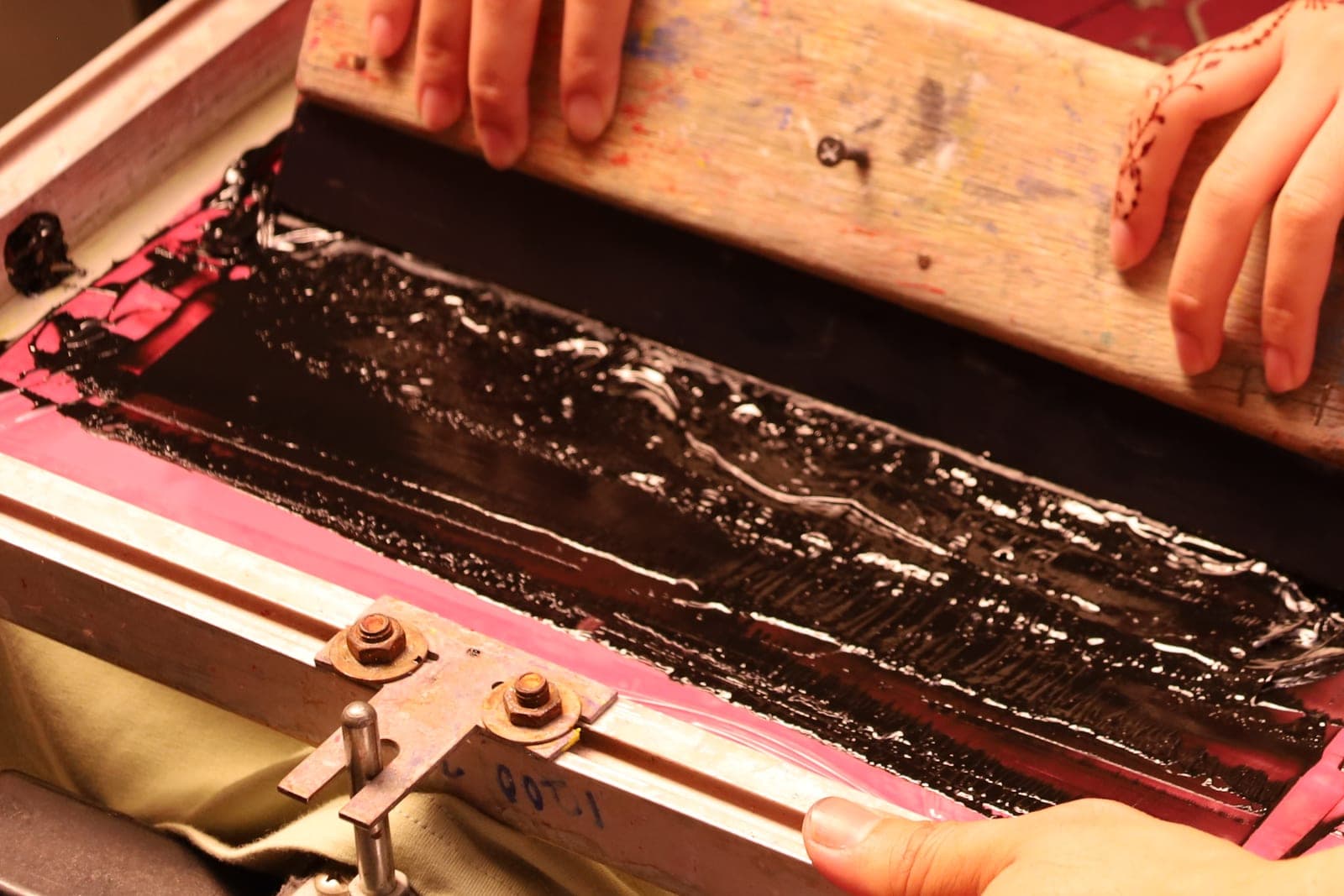
Screen printing pushes ink through a fine mesh screen onto the shirt. Each color needs its own screen, coated and exposed so ink passes only where the design is. A squeegee pulls ink across the screen, and the print is then heat-cured so it lasts through washing.
What software do you need for embroidery?
Embroidery shops usually need design software to turn art into stitch files, plus a way to manage orders. Embroidery shop management software tracks quotes, sizes, thread colors, approvals and machine schedules in one place, so the stitch file and the order details stay together from quote to pickup.
Next step
Book a free workflow consult and bring your price matrix, a recent order's text thread and the blank order that went with it. We will trace that order from request to pickup and show where one record would keep it straight. We work from the Kansas City metro and meet owners face to face or by video call.
Our standards
- The examples in our guides are illustrations, not customer stories.
- Your AI runs on private and on-premise models, not public AI tools, and nothing you give us is used to train AI models.
- Agents are built so each action is logged in a record that shows any later edit.
- Every call and text opens with a short line saying it is the business's AI assistant, and asking for a person always works.
- Texts go only to people who contacted you or gave you permission, and every message says how to stop.
- If anyone may be hurt or in danger, the only instruction an agent gives is to call 911.
- Depending on the investment package you choose, you get either the right to use the software we build for you or full ownership of it.
- We work from the Kansas City metro and meet owners face to face or by video call.
- Same team. Same jobs. More capacity.
About the ScaleAlphaSi team
ScaleAlphaSi is a Kansas City firm specializing in Advanced AI Engineering. We design and build AI agents and custom software for small businesses, trades and growing companies. Each guide draws on our experience with owners and office teams: where AI delivers, where your people stay in charge, and how to begin with a single workflow.
Meet the team