Moisture mapping software lets a restoration crew record every moisture reading against a room, a marked spot and a set of photos, with the time and the tech's name saved automatically. A custom app built around your forms does this on any phone or tablet. It keeps working with no signal and keeps a history of every change.
This guide is for restoration owners and project managers shopping for a field tool that fits how their crews work. For the bigger picture, see our guides to AI for small business and insurance claims software for roofers, which covers the insurance claim file from first call to final payment.
What should moisture mapping software record?
Moisture mapping software should record each reading as one complete entry: the room, the marked spot, the material, the meter value, the time, the tech and the photos behind it. It should also hold the air readings for the psychrometric log. That way the dry-down and the drying conditions sit on one daily page.
Each entry carries these parts:
- Room and spot. The room comes from a tag on the door frame. The spot is a pin on a sketch of the room.
- Material and meter mode. Drywall, carpet pad or subfloor, plus the meter setting, so tomorrow's number compares like with like.
- Reading and dry goal. The value sits beside the goal your project manager set from a dry spot in an unaffected room.
- Air readings. Temperature and humidity outside, in the wet area and at each dehumidifier, with grains per pound worked out.
- Photos. A wide shot that shows where, and a close-up of the meter on the material.
- Who and when. The tech's login and the device clock, saved by the app, not typed.
The EPA's mold remediation guide (opens in a new tab) says moisture meters can measure moisture in building materials after water damage and can track how those materials dry. Wet materials need to dry quickly, and the map shows whether they did.
Why do general job apps fall short on a drying job?
General job apps fall short because they were built for scheduling and invoices, not daily readings by room. They treat a photo as a file and a reading as a note, so nothing ties the two together. When an adjuster asks which spot a number came from, the office rebuilds the answer by hand.
A generic photo app is not a water damage drying log app, and neither is a spreadsheet or a form builder. Four gaps show up on real jobs:
- No signal. Basements drop the connection, so techs jot readings on tape and type them later.
- No edit history. A cell flips from wet to dry, and nobody can say who changed it or why.
- The wrong fields. There is no place for the reference reading or the meter mode, so they land in a notes box.
- A messy export. The office gets a pile of photos and a table of numbers to match by hand.
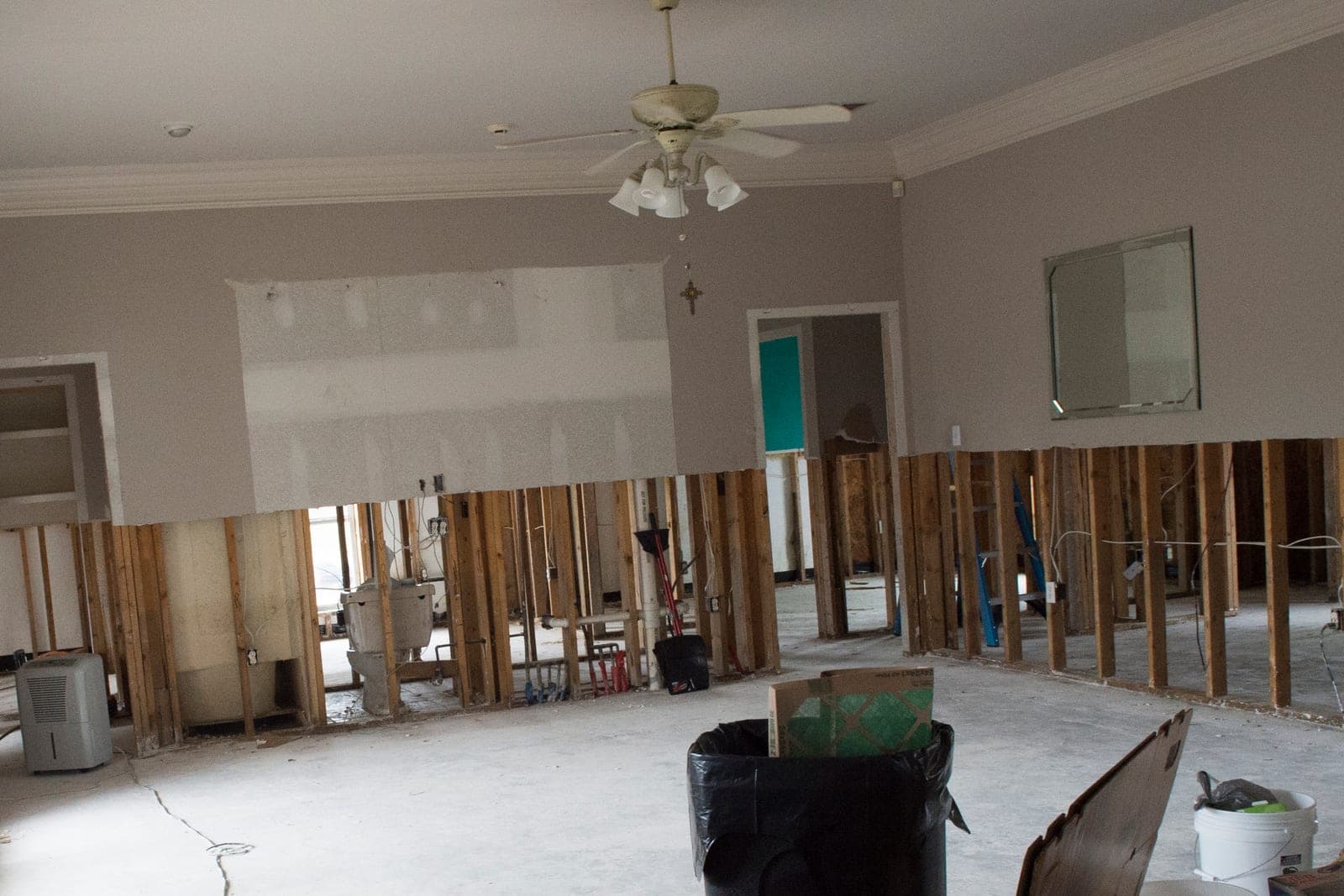
What does a custom moisture mapping app include?
A custom moisture mapping app includes a phone and tablet side for techs and an office screen for project managers, built as one of our full web applications. Every screen follows your own forms and your order of work. A tech on a ladder taps through a reading the same way each time.
- Room QR tags. On the first visit, the tech tags each door frame and names the room once. Every later scan opens that room's sketch.
- The moisture form. Your fields, in your order. A spot above its goal shows amber, and a spot with no reading today shows as a gap.
- Several photos per reading. The camera opens inside the form, and each photo stays linked to its job, room, spot and time.
- Works offline. Entries save on the device and sync when signal returns, keeping the time they were taken.
- Edit history. A reading can be corrected but never erased. The app keeps both values, who made the change and the reason.
- PDF export. One button builds a dated report by room, with the sketch, readings, air log and photos in order.
The Ops Agent can remind a tech before leaving a site that a spot still needs today's reading, and draft the evening note for the project manager to approve. At closeout, the same records feed the adjuster packet in our guide to water damage restoration software.
Some plans give you the right to use the drying app we build, and others give you full ownership of it. Your job records and photos stay yours under any plan.
How do we build and test it with one crew?
We build the app from a written spec of your forms, rules and report layout, then pilot it with one crew on real jobs. Your team reads and changes the spec before we build anything. That keeps the app matched to how your best tech already works, not to a template.
Before we hand it over, the pilot crew checks that:
- Readings entered in a basement with no signal keep their original times after the sync.
- A mistyped reading gets corrected, and the history shows both values and the reason.
- Two techs on different floors of one job never overwrite each other.
- The PDF for a finished job matches the readings screen line for line.
- A spot missed today shows on the project manager's list.
The app connects to the job tools you already use, so each address is typed once. The federal E-SIGN Act (opens in a new tab) lets a record the law asks you to keep live in electronic form, as long as it stays accurate and can be reproduced later, which is what the edit history protects.
This is an illustration, not a customer story. Delphine, a restoration project manager, runs three drying jobs and used to spend evenings matching photos to readings. In the pilot, one screen shows her a laundry room short of its goal, so she asks the tech to check the vent line.
What stays with your techs and project managers?
Your techs and project managers keep every judgment on the job: the dry goal, where equipment goes, what gets opened up or taken out, and when a room counts as dry. The app records those calls and the numbers behind them. It never makes one, and it never overrides a tech's reading.
It never speaks for your company either. Coverage questions belong to the carrier, and a person on your team writes every message to an adjuster or homeowner.
Same team. Same jobs. More capacity.
Drying jobs on both sides of the state line
Kansas City crews dry homes in Kansas and Missouri, and each homeowner works with their own insurer. In Kansas, the state insurance department's homeowner page (opens in a new tab) tells policyholders to photograph damaged areas for their insurer. Dated photos tied to each reading from day one help the homeowner as much as your office.
The same Kansas page warns homeowners that permanent repairs made before the insurer inspects may lead to a denied claim. It is advice to policyholders, not a rule for contractors, and it promises nothing about any claim. Temporary repairs that protect a home from more damage are a separate step, and your photos show what was done when. Missouri's insurance department gives its homeowners similar advice: document the damage and take photos before any temporary repairs.
Frequently asked questions
What is moisture mapping?
Moisture mapping is marking where wet materials are in each room and checking the same spots on every visit. The map shows the edges of the water, the reading at each spot and how those numbers fall as the structure dries.
What is a dry log for water mitigation?
A dry log is the daily record of a water mitigation job. It lists each spot's reading against its goal, the temperature and humidity inside and out, and the equipment running in each room. Read top to bottom, it shows how the structure went from wet to dry.
What is a water mitigation report?
A water mitigation report is the summary a restoration company puts together when drying is done. It usually holds the loss details, the moisture map, daily readings, the equipment log, photos by room and final readings, and it often goes to the insurer.
How do you prove when a photo was taken?
You prove it by saving the time when the photo is taken, inside an app that ties it to a job, room and reading, and by keeping the original file untouched. A time typed in later is far easier to question.
Why is an audit trail important?
An audit trail shows who entered or changed a record, when and why. On a drying job, a project manager can fix a mistyped reading without anyone wondering whether numbers were adjusted, because the original entry stays visible beside the correction.
How do you create a moisture map?
You create a moisture map by sketching each affected room, marking reading spots across the wet area and just past its edge, and reading a dry room to set the goal. On every later visit, the tech checks the same spots, and the map shows which are still wet.
Next step
Book a free workflow consult and bring one recent drying job. We will follow it from first scan to last dry reading and sketch the screens your crew would use. We work from the Kansas City metro and meet owners face to face or by video call.
Our standards
- The examples in our guides are illustrations, not customer stories.
- Your AI runs on private and on-premise models, not public AI tools, and nothing you give us is used to train AI models.
- Agents are built so each action is logged in a record that shows any later edit.
- Every call and text opens with a short line saying it is the business's AI assistant, and asking for a person always works.
- Texts go only to people who contacted you or gave you permission, and every message says how to stop.
- If anyone may be hurt or in danger, the only instruction an agent gives is to call 911.
- Depending on the investment package you choose, you get either the right to use the software we build for you or full ownership of it.
- We work from the Kansas City metro and meet owners face to face or by video call.
- Same team. Same jobs. More capacity.
About the ScaleAlphaSi team
ScaleAlphaSi is a Kansas City firm specializing in Advanced AI Engineering. We design and build AI agents and custom software for small businesses, trades and growing companies. Each guide draws on our experience with owners and office teams: where AI delivers, where your people stay in charge, and how to begin with a single workflow.
Meet the team