Water damage restoration software keeps every record a drying job needs in one claim file: daily moisture readings from your techs, photos by room, equipment logs, drying notes and the signed work authorization. When the file is complete, putting together a packet for the adjuster gets much quicker. The readings stay exactly as your techs entered them.
This post is for restoration owners and project managers who lose time hunting for photos and retyping moisture logs. It covers what each job needs on file, how readings and photos should be handled, building the adjuster packet, and where estimating and customer records fit. For the wider topic of paperwork automation, see our guide to document automation for small business.
What documentation does a water damage job need?
A water damage job needs proof of what you found, what you did and how the structure dried, day by day. Adjusters want to see the loss, the plan, the readings and the equipment, all tied to dates and rooms.
A complete file usually holds:
- Signed work authorization. Before work starts, signed by the property owner or someone with authority.
- First-day photos. Every affected room, wide shots and close-ups, before anything moves.
- Moisture map. Where readings were taken in each room, so the same spots get checked daily.
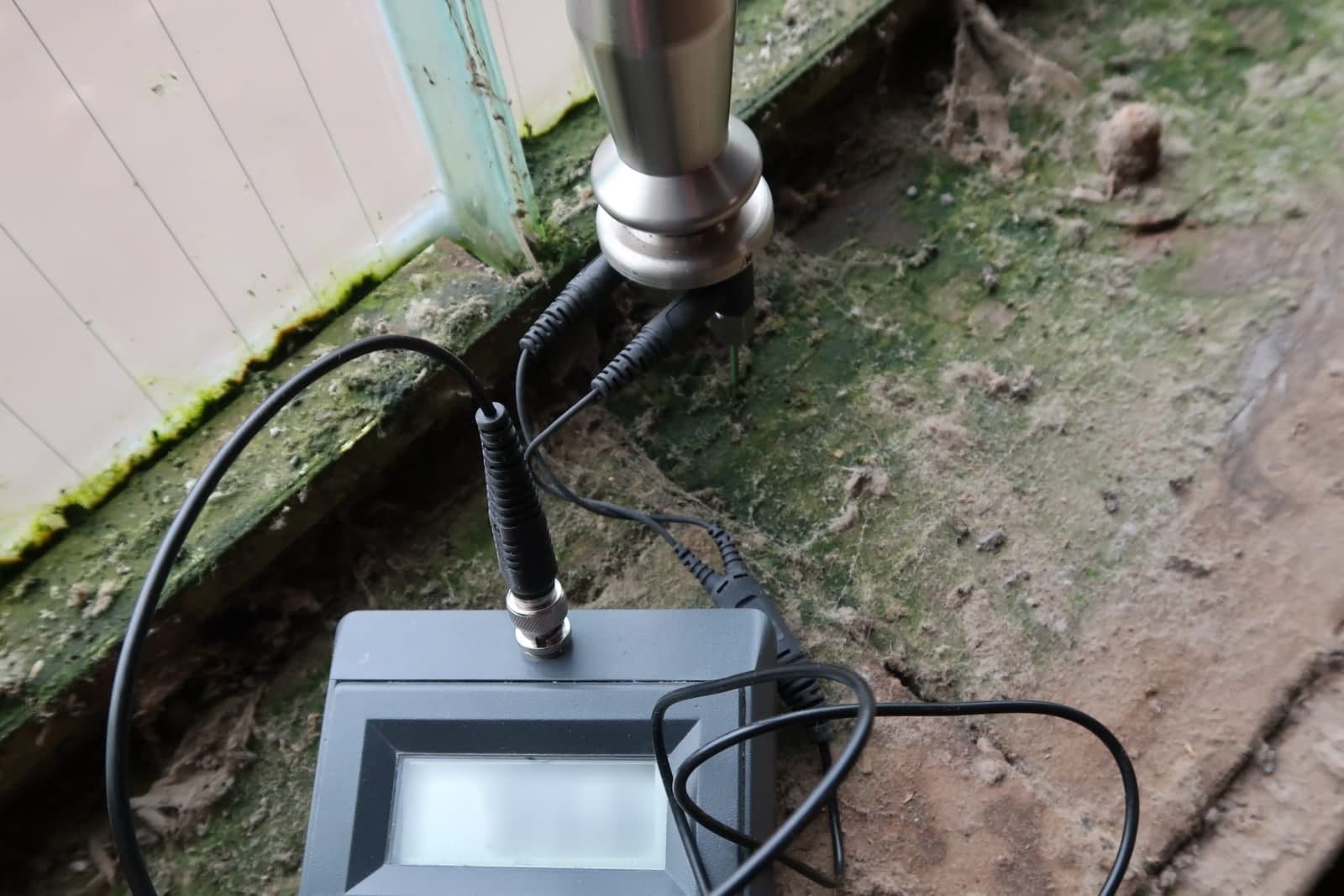
- Daily moisture readings. Taken and entered by your techs, with date, time and who took them.
- Equipment log. Which air movers and dehumidifiers went where, when they were placed and when they came out.
- Drying notes. What changed each day, what was opened up or taken out, and why.
- Photos at each visit. Showing progress and any material that had to go.
- Completion record. Final readings and a sign-off.
Missing any one of these can slow a claim. A good system shows each job's gaps at a glance.
Moisture readings belong to the tech
Moisture readings belong to the tech because they are the backbone of the claim and need to be trustworthy. That means a simple rule: techs enter readings on site, and nobody changes them later without a clear record. The AI never edits one.
The AI is set up so it never edits a reading. It can:
- Remind a tech which spots are due for a reading today
- Flag a day with missing readings
- Put readings into a clean table by room and date
- Point out a room that is not drying as expected, for a person to look at
If a reading was entered wrong, a person fixes it, and the change is logged with who made it and why. The system is built so each action is logged in a record that shows any later edit. Slow drying matters, since the EPA's guidance on mold and moisture (opens in a new tab) advises drying water-damaged areas and items within 24 to 48 hours to prevent mold growth.
Photos by room and equipment logs
Photos by room and equipment logs should be sorted by job, room and date, because restoration jobs produce a lot of photos and most end up in one long camera roll. Sorting them by room and day is tedious, and it is exactly the kind of work software can help with.
A tidy photo setup:
- Techs take photos in the field and tag the room, or pick it from a list.
- Photos are stored by job, room and date.
- Each day's photos sit next to that day's readings.
- Untagged photos land in a short review list for a person.
Equipment logs work the same way. When a dehumidifier goes into the basement, the tech logs it. When it comes out, they log that too. The file shows exactly how long each piece ran in each room.
Building the adjuster packet
Building the adjuster packet is mostly assembly once the records are in order: the work authorization, the photos, the moisture logs, the equipment log and your notes, in the order the adjuster expects. A person reviews and sends every packet and handles every conversation with the adjuster.
Generic job software rarely knows what an adjuster expects to see. We can build an insurance claims workflow for restoration around how your team works: each job's signed authorization, room photos, moisture logs and equipment records gathered into one adjuster packet, gaps listed, and the packet held for a person to review and send. It never sends a packet on its own and never talks to an adjuster for you. It connects to the job and photo tools your team already uses, and your records and logins remain yours.
Roofers deal with a similar mountain of claim paperwork. Our guide to insurance claims software for roofers covers how one file per claim works on that side.
Where does estimating fit in water damage restoration software?
Estimating sits beside the documentation, not inside it. Water damage restoration estimating software turns scope and measurements into line items, and it works best when it can pull from the same photos, rooms and notes. Your estimator still writes and prices every line.
The AI can draft a scope list from your tech's notes and photos. Your estimator writes and prices the estimate, using whatever estimating platform your carriers expect. Prices, line items and any supplement are always a person's work.
Do restoration companies need a CRM too?
Yes, because restoration runs on relationships as much as jobs. A CRM for restoration companies tracks property managers, plumbers who refer work, insurance agents and repeat commercial clients, not just this week's losses. The customer record and the job file should show on one screen.
Good restoration company software ties the two together. The customer record holds the contacts and history. The job file holds the claim documents. Your team sees both from one screen. When the first call comes in at night, our post on the answering service for water damage restoration covers how that intake can feed the job file from the start.
What stays with your people
Every moisture reading and correction, drying goals and equipment placement, and the call on when a job is dry stay with your team. So do material removal, estimates and supplements, every message to an adjuster or carrier, safety calls such as electrical hazards or mold, and any coverage question.
Documentation help is about keeping records complete and easy to find. The judgment stays with your team:
- Every moisture reading and any correction
- Drying goals, equipment placement and when a job is dry
- What material comes out and why
- Estimates, line items and supplements
- Every message to an adjuster or carrier
- Safety calls, including electrical hazards, contamination and mold concerns
- Any question about coverage, which goes to the carrier or the policyholder's agent
Same team. Same jobs. More capacity.
A basement loss from first call to packet
This is an illustration, not a customer story.
A restoration company takes a basement water loss on a Sunday night. The tech gets the work authorization signed on a tablet, takes first-day photos by room and sets a moisture map. Equipment goes in and gets logged.
Each day, the tech enters readings and takes photos. One afternoon, a reading is missing for the laundry room, and the tech gets a reminder before leaving. On the day the basement reads dry, the system builds the adjuster packet and lists one gap: a final photo of the furnace room. The tech adds it the next morning. The project manager reviews the packet and sends it.
Frequently asked questions
Can the software read moisture meters directly?
Some meters can send readings to an app, and where that works, the readings flow in as recorded. Where it does not, techs enter them by hand. Either way, the AI does not change them.
Will this work with the estimating platform our carriers want?
Usually the estimating platform stays the same. The job file and packet are built around it, so your estimator works the way they already do.
Who can see the claim file?
Your team, with access set by role. Each part of the system gets only the access its job needs, following the security principle of least privilege (opens in a new tab). Your AI runs on private and on-premise models, not public AI tools, and nothing you give us is used to train AI models. That matches the SBA's guidance on AI (opens in a new tab), which warns small businesses not to feed sensitive data or proprietary information into AI tools.
Next step
If claim files take longer to build than the drying does, book a free workflow consult. Our team is based in the Kansas City metro, and we can meet at your shop or by video. In the consult we follow one recent job from first call to adjuster packet, mark where photos and readings get lost or retyped, and show what a cleaner claim file could look like. More examples of what we build are on our Solutions page.
About the ScaleAlphaAi team
We are a Kansas City company that designs and builds AI agents and custom software for small businesses, trades and growing firms. We write these guides from our work with owners and office teams: what AI handles well, what stays with your people, and how to start with one workflow.
Meet the team