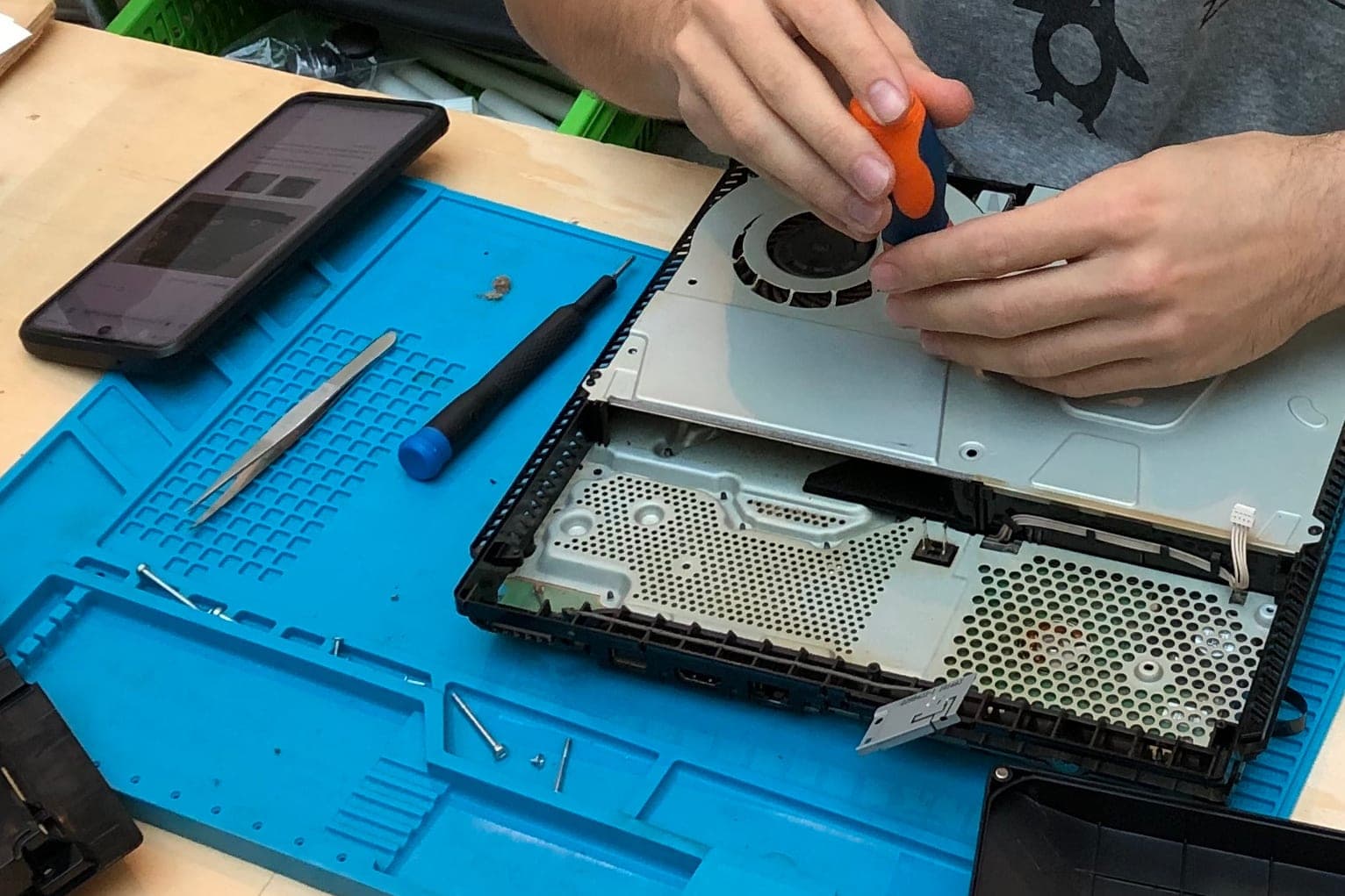
Computer repair shop software should move each device from the customer's hands to the right bench with a barcode ticket, condition photos and a written estimate. Then it keeps the customer posted until pickup. It is the record of what came in, what it looked like, what the customer approved and where the device sits now.
This guide is for owners of computer, phone and electronics repair counters. It pairs with our guides to AI for small business and custom software for small business. Fixing cars instead? Our auto repair shop scheduling software guide covers bays, digital vehicle inspection software covers the walk-around at drop-off, and in-home visits live in appliance repair scheduling software.
What should computer repair shop software do at the counter?
Computer repair shop software should check a device in quickly and completely at the counter. The ticket holds the customer, the device, the problem in their words, what was left with it, condition photos, a written estimate and a barcode label. Every later step hangs off that first ticket.
- The customer. Name, the best way to reach them and whether they agreed to status texts.
- The device. Type, model, serial number and anything left with it, such as a charger or a case.
- The problem, in their words. "Won't turn on after the storm" tells the tech more than "no power."
- Condition photos. Cracks, dents and missing keys, shown before anyone opens the device.
- The estimate and its limit. What the work should cost and the point where the shop has agreed to ask before doing more.
- Passcode handling. Ask only when the repair needs it, keep it apart from the ticket and clear it at pickup.
Devices carry a lot of personal data. The FTC's guide to protecting personal information (opens in a new tab) advises businesses to hold on to only the customer details a job truly needs, and to let only the staff whose work calls for them see those details.
Why do boxed repair shop apps leave gaps?
Boxed repair shop apps are built to sell to every kind of shop, so your counter has to bend to their screens. That bending happens in front of customers, at drop-off and pickup, where a slow or missing step is easy to see and hard to explain.
Typical repair shop management software falls short in these spots:
- Online only. When the shop's internet goes down, a line forms and tickets end up on paper.
- Thin intake. Without photos at drop-off, "that crack was already there" turns into an argument.
- Labels that don't fit. Barcode labels should print on the printer already at your counter, in the size your bins need.
- Generic status steps. "In progress" tells a customer nothing about a part on order or an estimate waiting for approval.
Shops that also sell managed IT support hit a different gap: quotes, onboarding and quarterly reviews, covered in MSP proposal software.
What we build: the repair counter app, screen by screen
We build a counter app for check-in and pickup, a bench board for your techs and status updates for customers. It runs on the computers and tablets you already have, works offline and syncs when the internet returns. The screens follow your intake steps, your bins and your status words.
- Barcode tickets. Check-in prints a barcode label for the device and a claim slip for the customer. A scan at any bench opens the ticket.
- Photos at drop-off. The counter takes the photos your shop requires, and the customer looks them over on the counter tablet before signing.
- A written estimate. The tech's notes become an estimate with a clear limit, and work past that limit waits for a recorded approval.
- Status updates. Received, diagnosing, waiting on a part, waiting on approval and ready. Customers who agreed to texts get each step, and any customer can check a ticket's status with the claim slip instead of calling the counter. Customers can opt out of texts at any time, and your shop honors every opt-out as the FCC's rules require.
- Works offline. Check-ins, photos and labels keep running through an outage and sync later.
- Bench board. Who has which device, what is waiting on parts and what is ready for pickup.
It is a full web application, with logins for the counter, the techs and the owner. You pick the plan for this electronics repair shop management software: the right to use it, or full ownership of it. The tickets, photos and customer records stay with your shop on either plan. The Sales Agent can draft the estimate message from the tech's notes for your counter lead to check and send.
How does the build work?
We begin by writing up your intake form, photo rules, label sizes, status steps and who may change an estimate. Nothing gets built until you have read that spec and made your changes. Then we pilot it at your counter on real drop-offs, with your current system kept close by in case you need it.
Before the whole counter switches over, the app must pass these tests:
- A check-in with the internet down saves the ticket and photos and prints the label.
- A scan at any bench opens the right ticket.
- A status change texts only customers who agreed to texts, and an opt-out stops them.
- Work past the estimate limit can't be marked done without a recorded approval.
- A passcode stays hidden from staff who don't need it and is cleared at pickup.
It can connect to the point-of-sale and accounting tools you already use. Payments run through your existing card reader, and card numbers never touch the app.
This is an illustration, not a customer story. On a busy Saturday, the internet drops at S.'s phone and laptop repair counter. The counter keeps checking in devices, printing labels and taking photos. When the connection returns, every ticket syncs, and S. starts Monday with a bench board that is already right.
What stays with your techs and counter staff?
Your techs and counter staff own the diagnosis, the price and every conversation about whether a repair is worth it. The app keeps the ticket, the photos and the approvals in order. It never prices a repair, approves extra work for a customer or decides what happens to a customer's data.
- Diagnosis. The tech decides what is wrong and what it takes to fix it.
- Pricing and approvals. The counter talks through the estimate, and only the customer approves more work.
- Data choices. Whether to back up, move or erase anything on a device is the customer's call, confirmed by your staff.
- Refunds and warranty work. The owner or counter lead decides, using your shop's policy.
A written repair policy at the counter tells customers how your shop handles each of these. Jewelers keep the same line in jewelry repair tracking software, with a bench envelope and a signed pickup in place of a device ticket.
Same team. Same jobs. More capacity.
Frequently asked questions
What is computer repair shop software?
Computer repair shop software tracks each device from drop-off to pickup. It records the customer, the device, the problem, condition photos, the estimate and approvals, parts and status. It also lets the shop update customers and take payment when the job is done.
What is the best computer repair shop software?
The best computer repair shop software gets a device checked in, labeled and photographed before the customer leaves the counter, then keeps them posted without extra calls. Before you choose one, check three things: offline check-in, labels that fit your bins and status steps in your own words. If none does all three, a custom build can.
What is a repair ticket?
A repair ticket is the record that follows one device through the shop. It holds the customer's details, the device and its serial number, and the problem in the customer's words. Condition photos, the estimate, approvals, parts, the tech's notes and the final charge go on it too.
What is the best phone repair software?
The best phone repair software handles what those devices bring to the counter. That means screen photos at drop-off, careful passcode handling, quick parts lookups and fast status updates. Phone repairs move quickly, so check-in speed at the counter matters as much as reports in the back office.
How do you run a repair shop?
You run a repair shop by making every device easy to find and every customer easy to update. Check devices in the same way each time and put a written estimate in front of the customer. Track parts and approvals, and close each ticket with a clear invoice and a pickup signature.
Next step
Book a free workflow consult and bring a ticket from your busiest day last month. We'll look at how a device moves from your counter to the bench and back, then sketch the screens your counter and techs would use. We work from the Kansas City metro and meet owners face to face or by video call.
Our standards
- The examples in our guides are illustrations, not customer stories.
- Your AI runs on private and on-premise models, not public AI tools, and nothing you give us is used to train AI models.
- Agents are built so each action is logged in a record that shows any later edit.
- Every call and text opens with a short line saying it is the business's AI assistant, and asking for a person always works.
- Texts go only to people who contacted you or gave you permission, and every message says how to stop.
- If anyone may be hurt or in danger, the only instruction an agent gives is to call 911.
- Depending on the investment package you choose, you get either the right to use the software we build for you or full ownership of it.
- We work from the Kansas City metro and meet owners face to face or by video call.
- Same team. Same jobs. More capacity.
About the ScaleAlphaSi team
ScaleAlphaSi is a Kansas City firm specializing in Advanced AI Engineering. We design and build AI agents and custom software for small businesses, trades and growing companies. Each guide draws on our experience with owners and office teams: where AI delivers, where your people stay in charge, and how to begin with a single workflow.
Meet the team